Your name, photo, biography and interests
The first things visitors see, and how to fill them in.
These three sections sit at the top of Edit Profile and are open on every plan. Each has its own Save button, and it asks before you leave the page with something unsaved.
Hero
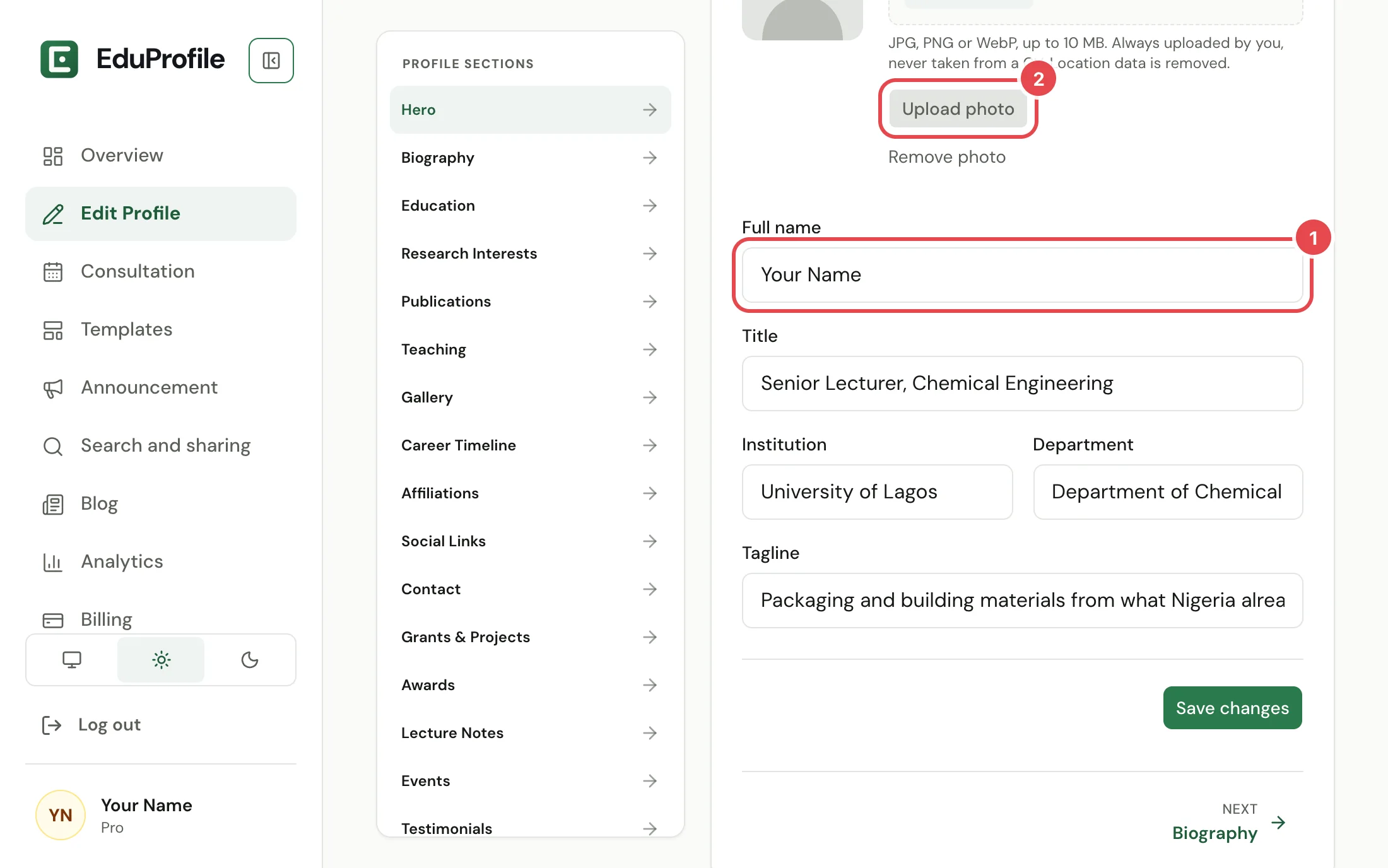
The Hero is your name, title, institution and photo, the first thing visitors see. It holds:
- Full name, Title (for example "Senior Lecturer, Chemical Engineering"), Institution and Department.
- Tagline, one line about your work. It is optional.
- Profile photo.
Your name, title and institution are needed before you can publish. The rest is optional.
The photo
Choose a file, then press Upload photo. JPG, PNG or WebP, up to 10 MB. A clear, front-facing photo works best, because it is shown small. We re-save it without the location data a phone may have put in it, and Remove photo takes it off.
The photo is always uploaded by you. A CV upload cannot supply one. The same photo is used in your link preview, so changing it here changes it everywhere. See Search and sharing.
Biography
A short biography in your own words. It appears near the top of your profile. You can write paragraphs, make text bold or italic, add links, and start a bulleted or numbered list. Select some text to see the buttons. It can be up to 5,000 characters.
Research Interests
The topics and fields you research. Separate them with commas or new lines. Visitors see them as a short list near the top, so keep each one brief.
Next
Add your education, career and affiliations next, then your publications.
Still stuck? Contact us.