Get help from us
Where to find answers, and how to write to a person at EduProfile.
Start with Help in your dashboard sidebar. It has these guides, answers to the most common questions, and a form to write to us.
Write to us from the dashboard
Under Write to us on the Help page:
- Choose What is this about?: something is not working right, something needs to work better, a feature you would like, or a question.
- Write your message in Your message. For a problem, say which page you were on, what you did and what you saw. For a feature, say what you are trying to get done.
- Press Send message.
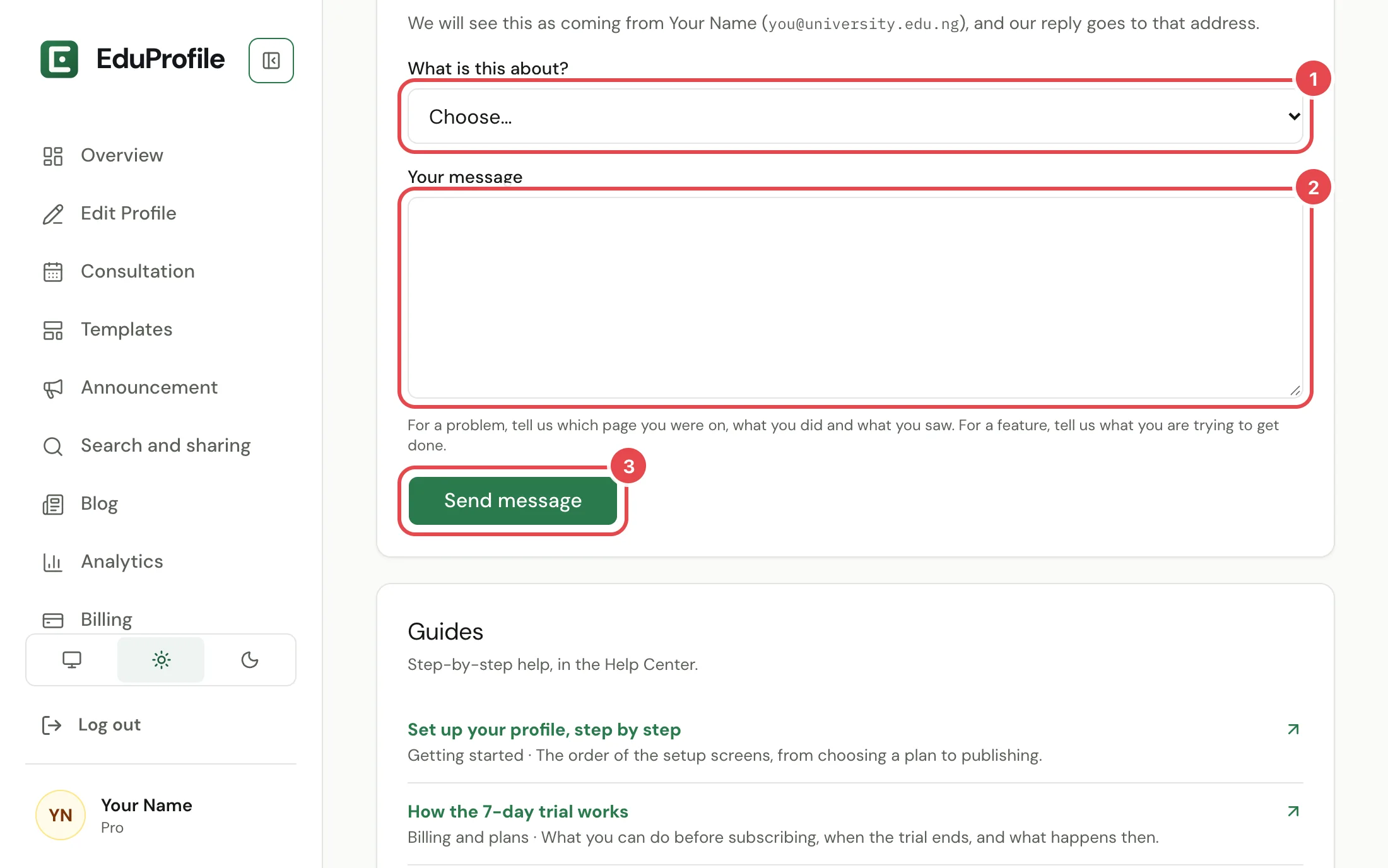
A person reads every message. We reply to the email address on your account, and the message arrives with your name, your plan and your site address already filled in, so you do not need to repeat them. You can send a few messages an hour.
If you cannot sign in
Use the Contact page instead. It works without an account. Write from the email address on your account and include your site address, for example eduprofile.ng/your-name, so we can find you.
We aim to reply within 2 business days.
Other ways to reach us
- Billing. Include the payment reference from your receipt. See the Refund Policy.
- Your own domain. Use Ask for help on the Domain page. It sends us your domain and your DNS records, so you do not have to explain them. See Connect your own domain.
- Privacy requests. Write to [email protected] to ask for access to, correction of or deletion of your data. You can also download your data and delete your account yourself. See Download or delete your account.
- Reporting a profile. See Report a profile.
Still stuck? Contact us.