Report a profile
How a visitor reports a profile, and what happens to a report.
Every public profile on EduProfile ends with a small Report this profile link. Use it if a profile pretends to be someone else, copies someone's work, or contains something offensive or unlawful.
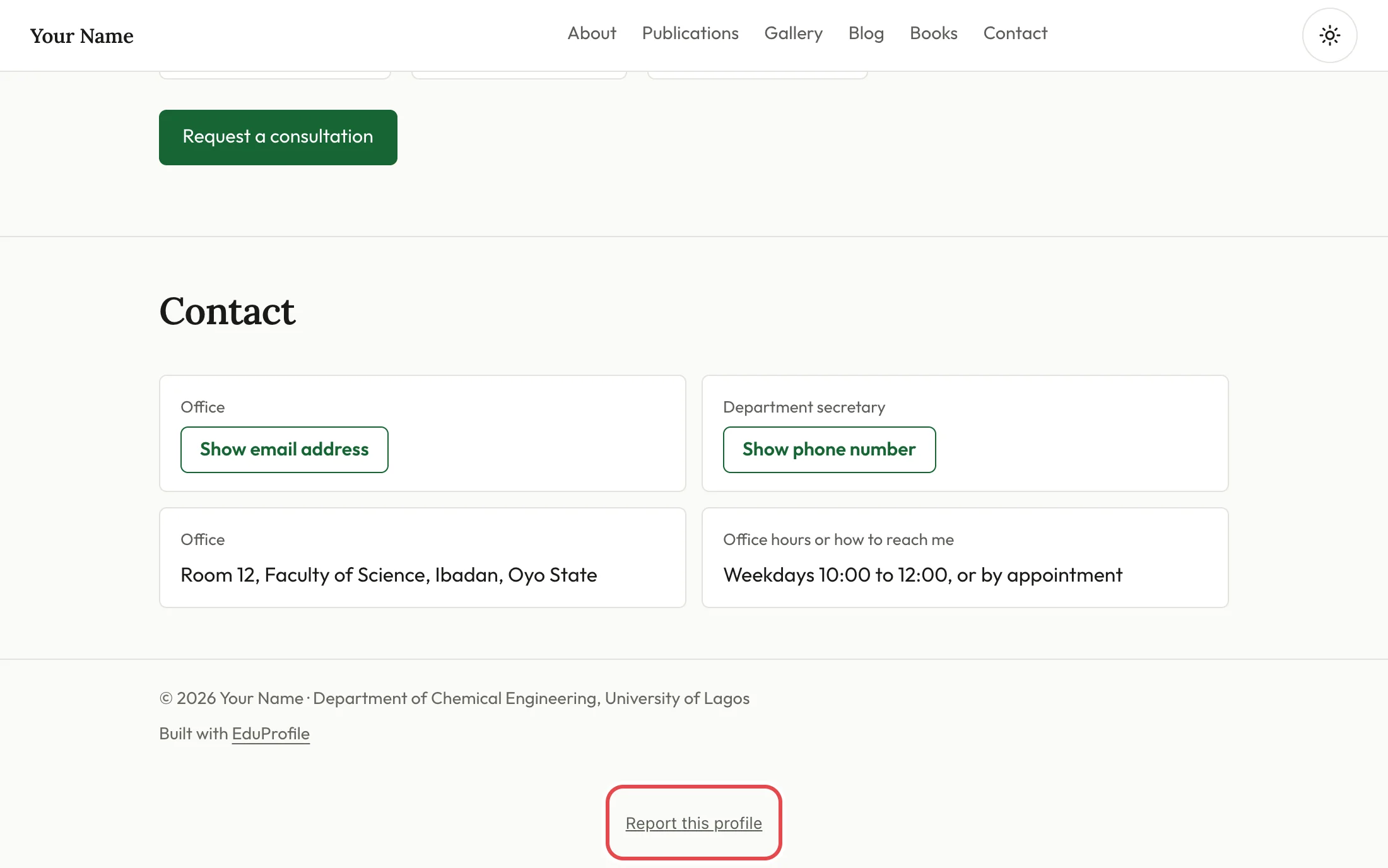
How to report
- Choose Report this profile at the very bottom of the page.
- Under What is wrong, pick the closest reason: pretends to be someone else, copied work or content, offensive, hateful or unlawful, or something else.
- Add Details so we know what to look at. Say which page or section, and why.
- Add your email address if you want us to be able to ask you a question. It is optional.
- Press Send the report.
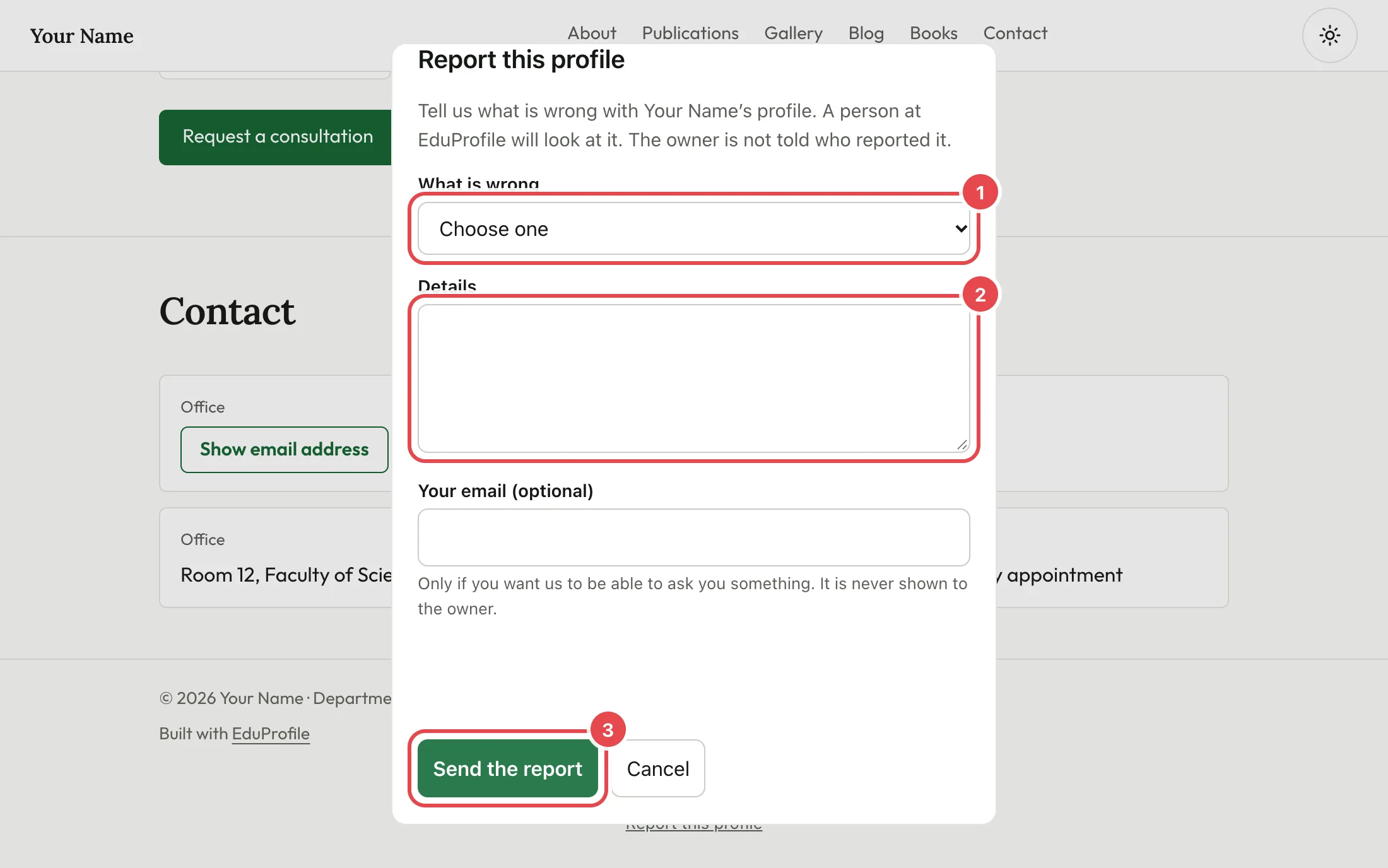
You do not need an account. The form checks that the sender is a person, and a few reports an hour are allowed from one address.
What happens next
A person at EduProfile reads every report. We may hide or remove content while we look into it, and we may ask you for more if you gave an email address. The reasons and the rules are in the Terms of Service.
We do not tell the owner who reported them, unless the law or fairness requires it. Your email address is never shown to the owner.
If your report is about content that infringes your rights, or is unlawful, you can also write to [email protected] with the address of the page, what is wrong and who owns the rights.
If you own a profile that was reported
The report link is on every profile and cannot be hidden or switched off by the owner. If we need to speak to you, we write to the email address on your account. We take a profile down or suspend an account only for reasons the Terms give, and where we can, we tell you why. If you think a decision was wrong, write to us.
Still stuck? Contact us.