Moderate your blog comments
How comments are held for review, and how to approve, remove or delete them.
Comments are a Pro feature, because they belong to your blog. Visitors can comment under each of your published posts, and you decide what stays.
Which comments wait for you
A person's first comment on your blog is held until you approve it. Once you approve a comment from someone, their later comments appear on your blog without waiting. If you later remove a comment from them, they are held for review again, whatever you approved before.
The commenter's email address is used only to recognise them. It is never shown on the page. Comments can include a name and a message, and the form checks that the sender is a person.
Review the comments waiting for you
Open Blog in your dashboard. The Comment moderation card lists every comment waiting for you, with the post it is on and when it was sent.
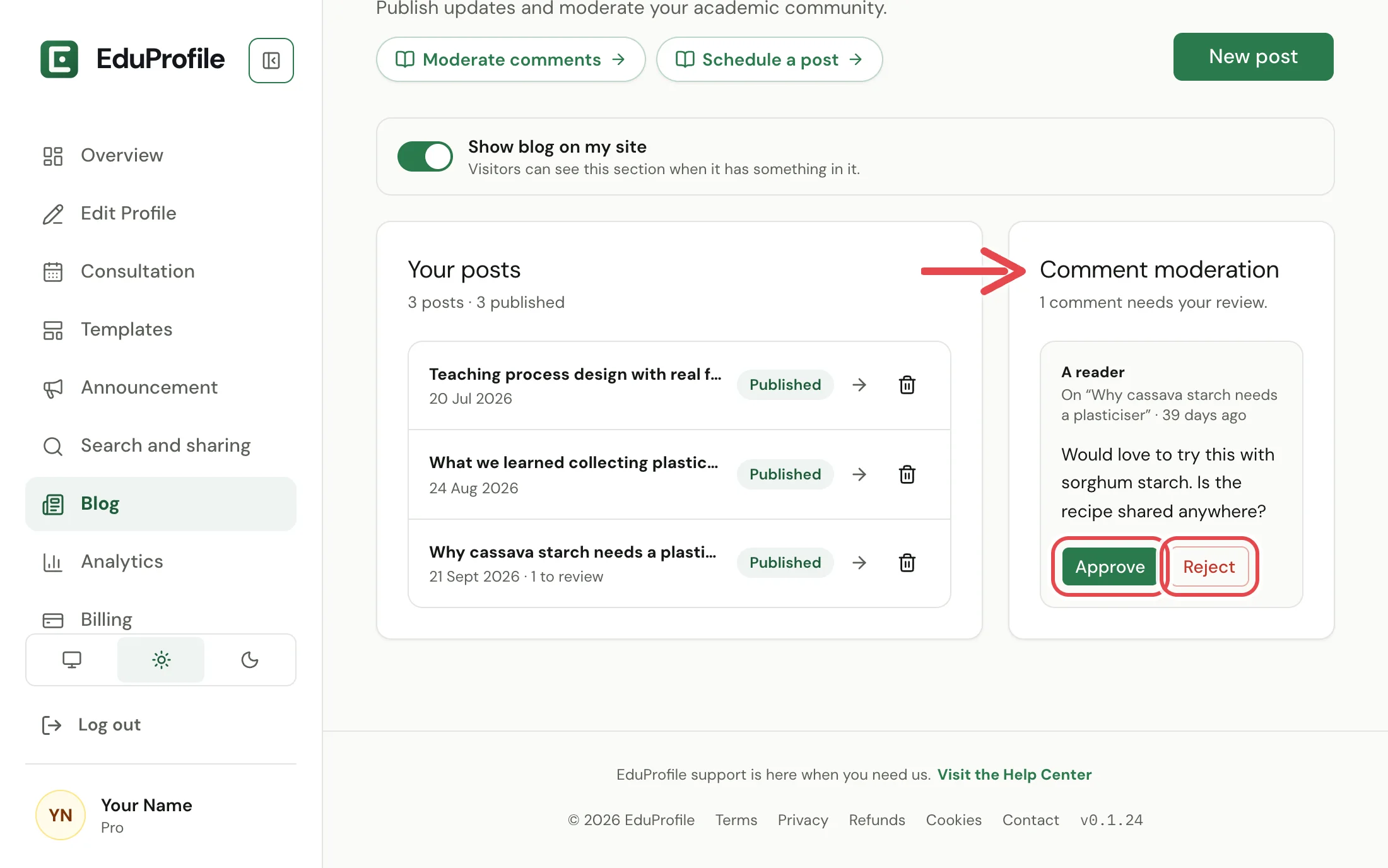
- Approve puts the comment on your blog straight away.
- Reject removes it from the queue. It is never shown to visitors, but you can still put it back later.
Manage the comments on one post
Open a post from the Blog page and scroll down to see every comment on it, whatever its state. Each one is marked Waiting for review, On your blog or Removed.
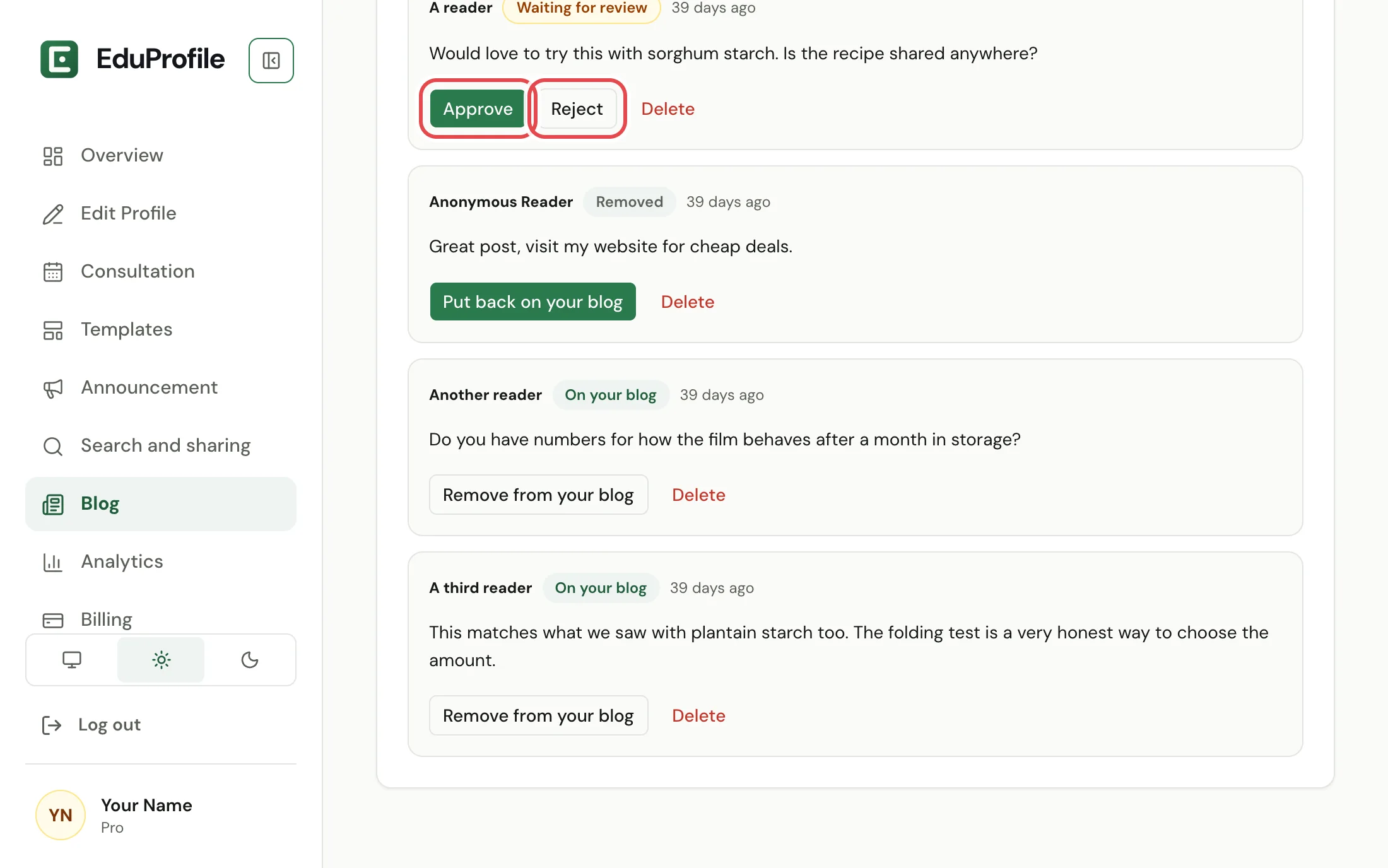
- Approve or Put back on your blog shows a waiting or removed comment.
- Remove from your blog hides a comment that was showing, without deleting it.
- Delete asks you to confirm with Delete for good. A deleted comment cannot be recovered.
Get an email when a comment arrives
Turn on Blog comments under Settings, Notifications and we email you when a comment needs your review. If a lot of comments arrive in an hour, we stop sending emails for that hour, but every comment still waits for you in the dashboard. See Choose which emails you get.
Good to know
- While your site is paused, visitors cannot comment. Comments already on your blog stay where they are.
- If you hide the blog from your site, or your plan moves below Pro, the blog and its comments are not shown to visitors. Nothing is deleted.
- You are responsible for the comments you allow to stay, as the Terms of Service explain. EduProfile staff can also remove a comment that breaks the rules.
Still stuck? Contact us.